My Favorite

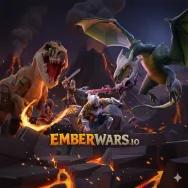
Emberwars.io
Emberwars.io









Emberwars.io is a fantasy multiplayer game that combines open-world exploration, character progression, monster hunting, and intense player-versus-player. Set in a vibrant wilderness filled with dangerous creatures and rival adventurers, the game challenges players to survive, grow stronger, and climb the leaderboard through smart decision-making and strategic battles.
Unlike many traditional .io games that focus solely on quick matches and simple mechanics, Emberwars.io introduces deeper progression systems. Players can level up their characters, unlock powerful abilities, collect valuable loot, and venture into increasingly dangerous regions where greater rewards await.
How to Play Emberwars.io
Objective
The main objective in Emberwars.io is to survive, level up your character, gather resources, defeat monsters, and outlast rival players.
As you progress, you'll unlock stronger abilities, increase your combat effectiveness, and earn valuable loot. The ultimate goal is to become one of the most powerful players in the arena while maintaining your survival against increasingly dangerous threats.
Basic Rules
- Defeat Enemies to Gain Strength: Fight monsters and opposing players to earn experience and improve your character's capabilities.
- Explore Carefully: Outer regions generally offer safer opportunities for growth, while central areas contain stronger enemies and higher-value rewards.
- Manage Your Abilities: Movement skills, healing abilities, and offensive attacks should be used strategically to maximize survival.
- Watch for Other Players: The world is shared with real opponents who may attack unexpectedly. Stay alert and avoid unnecessary fights when underpowered.
- Keep Progressing: Continual leveling, loot collection, and ability upgrades are essential for long-term success.
FAQs
How do you trigger auto-attack or interact with objects in Emberwars.io?
Press the E key to activate auto-attack or interact with objects and various elements within the game world.
What key opens the full map overlay to see different zones?
Press M to open the fullscreen map, allowing you to view the world layout and navigate between different regions.
How do you adjust the camera angle and zoom out in Emberwars.io?
Hold the right mouse button and drag to rotate the camera. Use the mouse wheel to zoom in or out for a better view of your surroundings.
Other Battle Games to Try
 Action










Comment (0)
Newest
NewestOldestPopular

Be the first to comment